How to Host Friendsgiving on a Budget
Simple Tips to Plan, Budget, and Share the Cost of Friendsgiving
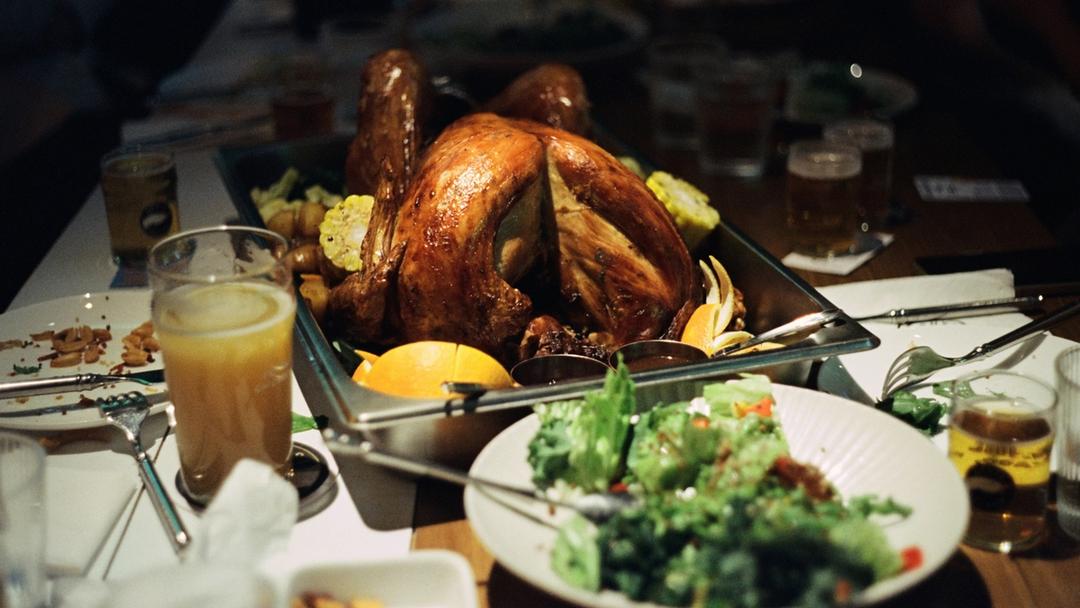
You may have heard of or participated in Friendsgiving — a beloved feast celebrated among, well, friends! Friendsgiving is the perfect event to show appreciation for all your favorite people.
Friendsgiving is typically a different experience from Thanksgiving with extended family. Traditional Thanksgiving dinners come with their own rules, typically as particular and unique as the families themselves.
Friendsgiving is an entirely different story — at its heart, the event is a potluck, not a longstanding family tradition. This dinner party is usually filled with an array of delicious food, fall cocktails, camaraderie, and laid-back fun.
However, if you're planning a Friendsgiving this year, you may begin to worry about the price tag associated with hosting and feeding a large group of friends — plus the party planning required.
Organizing and hosting Friendsgiving can be a huge undertaking, but it doesn't have to be stressful or budget-blowing. Read on to discover ways you can budget for Friendsgiving and bring your loved ones joy with the help of Pool.
In this post, we'll cover the following:
- Planning a Friendsgiving
- Creating a budget
- How to collect money for the feast
- How to grocery shop and be inclusive of diets
- And more!
Plan ahead for the event
Send out your invite as far in advance as possible. That way, the procrastinators have time to procrastinate, and the planners have time to plan ahead!
There are no rules for when Friendsgiving should be held, but it's typically celebrated a few days before Thanksgiving. Be sure to reach out to your friends ahead of time to figure out a day that works for most.
Don't make Friendsgiving dinner alone
Remember, Friendsgiving is a potluck. Those over-ambitious food lovers who need to "do it all" shouldn't succumb to the temptation. Resist overburdening yourself with cooking, as you'll feel like your stress-out, worst self.
But as the host, know that you're the one with the oven in the home where everybody will gather. So, it should be up to you to make the turkey and the gravy if they're on the menu.
Once the full menu is outlined, ask guests what they'd like to bring or contribute. This way, you'll ensure all of the essential Thanksgiving dishes are covered, and nobody will get the same thing.
It's not all about the food
Speaking of the Friendsgiving menu — not everything is about food! Make an effort to add a little holiday festivity wherever you can.
For example, if you're using disposable plates, you could get colorful fall-themed ones. You could decorate the table with cornucopias, fallen leaves, and autumnal-scented candles. Your playlist can complement the theme of togetherness, and you might even set out board games or playing cards.
Shop at different stores
It can take a bit of forward-thinking, but beginning your research and shopping can save you lots of money in the long run. Start purchasing the non-perishables and freezer items you'll need whenever you see them on sale at the local grocery store.
With a Pool, you can set aside the money that you expect to spend on your Friendsgiving feast. You can also compare prices at grocery stores before deciding where to buy your spices, canned items, and frozen foods. Check out each store's weekly flyer or app to find out about discounts not advertised in-store.
It's also a great idea to shop at discount grocery stores, like Aldi or Food Lion, to take advantage of special deals you can't find in higher-priced stores. Remember to make a Costco trip to purchase must-have items in bulk!
Direct, but don't demand
As a host, you have every right to have a say in the menu — but micromanaging your guests is never a good look. It's perfectly acceptable to ask attendees to bring specific dishes to ensure the essentials are covered and avoid duplicates. But remember, it's an ask, not a demand.
Steer clear of assigning dishes, or worse, a specific recipe, unless the guest asks for one. Nobody wants to feel forced into whipping up something they're not comfortable cooking or feeling handcuffed into making a particular version of it. If there's a special family recipe you really want served at Friendsgiving, it's best to take it on yourself.
There's nothing wrong with too much food
With a massive dinner like Thanksgiving, people tend to have a favorite dish they look forward to all year, and their favorite version of it.
That means, even if the pumpkin pie has already been claimed, someone might also insist on bringing their favorite take on it. It may be unnecessary to the feast, but it's likely essential to your guest's happiness. So just let it happen! Besides, there can never be too many carbs at this party.
That being said, if two people have their hearts set on making the same dish, encourage them to bring varying flavors so it doesn't result in an informal taste test.
Be inclusive of dietary restrictions
Friendsgiving is all about being together and the feeling of inclusivity, so check if your guests (or their plus-ones) have dietary restrictions. If vegetarians or vegans are coming, ensure there is at least one or two hearty main courses that can serve as an entrée-alternative to the turkey. With any luck, the non-meat-eater will offer to bring it along.
Also, consider whether or not you can alter any other accompanying dishes so everybody can enjoy them. You could swap in vegetable broth in the stuffing instead of chicken broth, olive oil in the brussel sprouts instead of butter, and put the bacon bits for the green beans on the side.
If other guests bring these dishes, ask them if they're willing to modify them. But, remember, it's an ask, not a demand.
Create a Friendsgiving budget
The most thoughtful way to avoid accidentally getting ahead of yourself and spending exorbitant amounts of money on your Friendsgiving feast is to create a budget in advance. Once you've decided how much you can spend, check out local grocery store prices to see how much it will cost to feed each guest.
Once you know how much each attendee will cost, you can use this number to figure out how many friends you should invite. However, if you want to invite more individuals than what's in your budget, consider pooling money to bring the cost down. We'll dive into the best way to pool money for Friendsgiving now.
What is the best way to collect money for Friendsgiving expenses?
There's an easier way to budget for your Friendsgiving event this year — use Pool. Pool is a platform where you can save and spend from dedicated Pools. So, instead of opening up a whole new bank account for your event's budget, you can sign up at Poolmoney.com, set up a Pool, and start contributing to it immediately.
Pools are where you can collect and manage money for everything you need for Friendsgiving. You can put aside money for groceries, alcohol, decorations, table and chair rentals, and more.
You can also pay for every dinner-related expense directly from the Pool quickly and transparently. Let's dive deeper into why Pool is perfect for Friendsgiving budgets.
1. Pool is easy to use with others
Set up your free Pool and invite other contributors to join. For example, some guests may want to contribute to the Friendsgiving grocery budget to cover things like alcohol or turkey.
Invite them to join the Pool so they can contribute toward shared expenses and help manage the budget if needed. And because you don't have to transfer money in and out of different accounts, you can easily track transactions and stay within your budget.
Pool is free to use — you can set up your Pool and use it for as long as you want without paying any maintenance or service fees. There are also no balance limits, so you can contribute as much or as little money as you want for your dinner budget.
2. Share admin roles with Friendsgiving co-hosts
As Pool admin, you can assign admin roles to anyone you want so they can share Pool tasks with you. Admins can view transactions, invite members, manage permissions, spend with the Pool debit card, and more.
Let's say your best friend is co-hosting Friendsgiving with you. You can assign them admin permissions to spend from the Pool so you can divvy up related tasks.
For example, you can head to the grocery store and pick up the turkey, stuffing, and mashed potatoes, and they can stop by the liquor store to pick out the perfect bottles of wine. That way, you can save time and energy before the big day.
However you divide the Friendsgiving tasks, everybody can see these various activities in the Pools you create. Your Friendsgiving budget is sorted with Pool.
3. Create as many Pools as you need
Pool allows you to create as many Pools as you need — which can be especially helpful when coordinating Friendsgiving with a larger group instead of going it alone.
For example, maybe you and your friends decide to each handle a larger part of the Friendsgiving planning. Liz is taking care of alcohol purchases and decorations, Rob handles appetizers and desserts, Kelly is in charge of buying the turkey, and Tom is purchasing the sides.
In this case, you may create multiple Pools for these different expenses relevant to the holiday. Each person could contribute to each dedicated Pool ("Turkey," "Wine and Beer," "Pies and Apps," etc.). The money safely lands in each Pool and stays there until you spend it with the Pool debit card.
Another reason why people love Pool is that it keeps holiday money separate from personal accounts. You don't have to start a new bank account or transfer money between multiple accounts and financial tools. Pool is flexible — you decide what works best to make your holiday go off without a hitch.
4. Pay for Friendsgiving purchases with the Pool debit card
Every Pool has a free digital Pool debit card to use anywhere Visa is accepted. You can also request a physical card to pay for in-person purchases — perfect for grocery store trips.
As Pool admin, you can set spending permissions so trusted co-hosts and guests can spend with you and lighten your load. And don't worry about staying within the Friendsgiving budget — set spending limits per card user so everybody stays within their means.
You can view all transactions on your Pool account. If you ever need to lock the card, you can do so quickly from your account as well. And since the Pool card doesn't include transaction or overdraft fees, you get to spend all you collect for the best feast ever.
With Pool — the platform that streamlines budgets and makes buying a breeze — this Friendsgiving can be one for the books. Sign up today at poolmoney.com and make your Friendsgiving experience easy.