Best App to Split Restaurant Bill: 7 Picks Compared
Compare the best app to split a restaurant bill, including Apple's new iOS 27 feature. See which fits one-off dinners and which fits meals that repeat.

How many dinners this year ended with your card on the tray and four people promising to Venmo you later?
The math at the table is where it gets awkward. One person had soup and tap water, another ordered the ribeye and two cocktails, and the restaurant split the bill evenly and charged them the same amount.
And getting the math right is only half of it. Someone still has to collect. One woman told New York Magazine’s The Cut about months of Venmo requests to a friend. She realized, "I was spending more energy chasing the money than the money itself was worth." A Zelle survey cited in the same piece found 76% of Gen Z adults who fronted a group expense were never fully repaid.
A good app sorts out the math in about a minute by reading the receipt and letting each person claim their own plate, with tax and tip calculated based on what they ordered.
The best app to split a restaurant bill depends on how often you eat with the same people. For the table that meets every month, we built Pool so the money is there before the check arrives.
Key Takeaways
- If the same people eat together every month, stop splitting the check. Everyone pays into a Pool in advance, and whoever gets to the restaurant first pays the entire bill with their Pool debit card.
- Tab is the quickest cross-platform itemizer for a single dinner. You photograph the receipt, and everyone claims what they ordered, with tax and tip divided by what each person spent.
- SplitEven works for friends who won't install anything. One person scans the receipt and shares a link, and everyone else sees the breakdown in a browser.
- Plates by Splitwise still works, with two catches. It caps the table at ten people, and its last update, version 1.4, came out in December 2020.
- Receipt scanning often costs extra. SplitMyExpenses is generous on its free tier, but AI receipt itemization sits in Premium, and Splitwise keeps receipt scanning behind Pro at $4.99 a month.
- If everyone has an iPhone, the chat now has a built-in option. iOS 27 can scan a receipt in Wallet, Messages, or the Camera, let each person tap their items, and send Apple Cash requests, as long as everyone paying has Apple Cash.
Best App to Split a Restaurant Bill at a Glance
Short answer: For friends who eat together on a schedule, a Pool is the best way to handle a restaurant bill, since everyone pays in ahead of time and one card covers the check.
For a one-off dinner where everyone has an iPhone, Apple Wallet's built-in split in iOS 27 itemizes the receipt and moves the money through Apple Cash. For a mixed table, Tab is the quickest app to split a restaurant bill with friends. SplitEven suits people who won't download anything, and Plates handles a table of up to ten.
| App | Best for | How it splits | Price | Where it runs |
|---|---|---|---|---|
| Pool | Meals with the same people, over and over | Everyone funds the Pool, then one card pays the whole check | Free to start, no monthly fees, free debit cards | Web to fund and manage, Plus a card in your phone's wallet or actual wallet. |
| Tab | A one-off dinner with friends | Scans the receipt, each person taps their items, tax and tip split proportionally | Free | iPhone, plus Android in the US |
| SplitEven | Friends who won't install an app | AI scan, then a link the table opens in a browser | Free | iPhone and Android |
| Plates by Splitwise | Tables of ten or fewer | Drag each dish onto a person's plate, with a split the rest option | Free | iPhone and iPad |
| SplitMyExpenses | Ongoing balances plus itemized checks | Equal, percentage, shares, exact amounts, or per item | Free tier. AI itemization in Premium from $3 a month | Web, iPhone, and Android |
| Splitwise | A running tab between friends | Logs the expense and tracks who owes whom over time | Free with 4 expenses a day. Pro from $4.99 a month adds receipt scanning | Web, iPhone, and Android |
| Apple Wallet (iOS 27) | An all-iPhone table | Scan the receipt, each person taps their items, Apple Cash requests go out | Free (Apple Cash required) | iOS 27 on Apple Intelligence iPhones |
Five Things That Decide Which App Works at Your Table
- How many people are eating. Plates stops at ten, which rules it out for a big birthday dinner.
- Whether everyone has to download it. One friend refusing to install an app can stall the whole split, and link-based apps like SplitEven get around that.
- How the receipt gets in. Scanning beats typing 14 line items under dim lighting, though a crumpled or faded receipt still needs a manual fix.
- How tax and tip are handled. A proportional split is fairer than an equal one when one person's order costs three times another's.
- Whether any money moves. Most of these apps only tell people what they owe. A Pool pays the restaurant directly, Apple Wallet sends Apple Cash requests, and Tab and SplitMyExpenses can hand off to Venmo.
The Best Apps to Split a Restaurant Bill
1. Pool
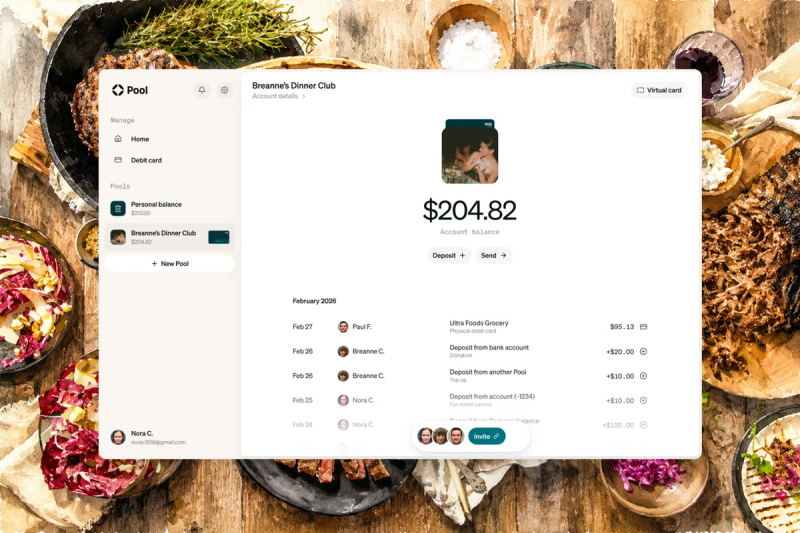
We built Pool for the dinners that repeat. The money for them already sits in one account, and one card pays the whole check, so there's nothing to divide once it arrives.
A Pool is a financial account with its own purpose. You can add each friend as a member. Set one up for a supper club or a Sunday family dinner and everyone pays their share in.
Whoever sets it up invites members and assigns each one a role. Admins have the same capabilities as the Owner, a Spender can add money, move it out, and spend with a debit card, and a Viewer can only view members and transactions.
Each member gets a free Visa debit card that works with any Pool where they're a Spender or Admin, so whoever gets to the restaurant first can pay right from the Pool. You can add the card to your phone's wallet, too.
Every charge appears in the activity feed, so the record is the account itself. Recurring deposits can top the Pool up each month, which means nobody gets chased for their share.
Pick it when: the same people eat together on a schedule, like a supper club or Sunday dinner with family.
The trade-off: Pool doesn't itemize receipts, and every member verifies their identity when they join, so for one dinner with people you rarely see, an itemizer is quicker.
2. Apple Wallet (iOS 27)
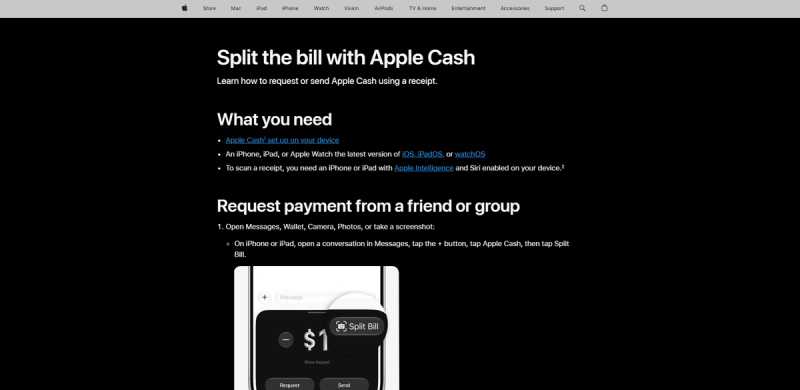
Apple built bill splitting into iOS 27. You can scan the receipt with the Camera's Siri mode or start from Messages or Wallet. Apple Intelligence lists the items, each person taps what they had, and tax and tip follow each person's order.
Wallet then sends Apple Cash requests to the rest of the table in Messages and each person pays with a tap. It also suggests common tip amounts like 18% and 20%, so nobody does the math.
It's free, nothing needs installing, and the money actually moves, which puts it ahead of most itemizers.
Pick it when: everyone at the table has an iPhone and is comfortable with Apple Cash.
The trade-off: the person scanning needs a recent iPhone with Apple Intelligence, and everyone paying needs Apple Cash, so Android friends drop out of the flow.
3. Tab
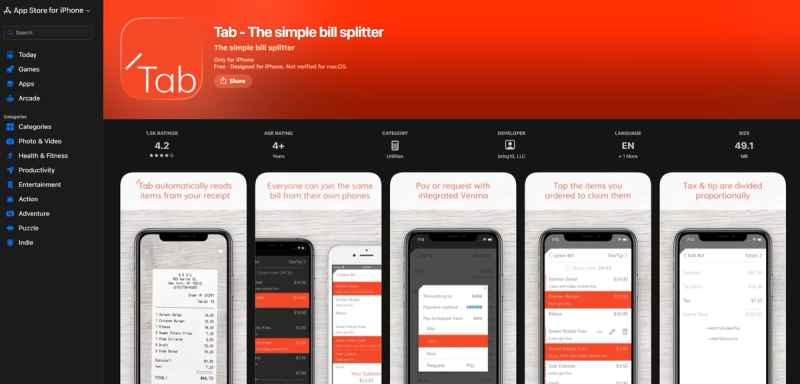
Tab is the quickest itemizer for a one-off dinner. You photograph the itemized receipt, it picks out the lines and prices, and everyone taps what they had.
Anyone at the table with Tab can join the same bill and claim their own items, and it stays in sync as they do. Two people can claim the same plate if they shared it, with tax and tip divided by what each person spent.
A birthday setting splits one person's total across everyone else, which saves the usual whispered negotiation. Tab is free and holds 4.2 stars from about 1,100 App Store ratings.
Pick it when: at least a couple of people at the table will install it.
The trade-off: everyone who wants to claim items needs the app, and faded or handwritten receipts can trip up the scan.
4. SplitEven
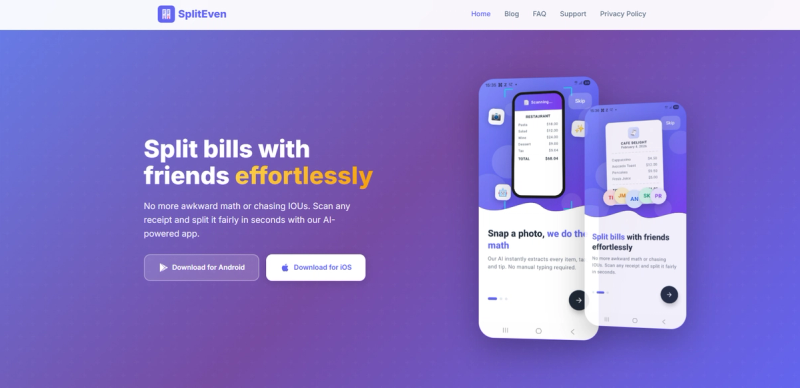
SplitEven solves the download problem. Its AI scan reads the items, prices, tax, tip, and currency, then gives you a link to share.
Everyone else opens that link in a browser and sees the full breakdown without an app or a sign-up. You can send the split as an image or plain text instead.
Shared dishes can be split equally or by quantity, so two of four appetizer portions land on the right person. SplitEven is free, with no subscription.
Pick it when: half the table won't install anything and you still want an itemized split.
The trade-off: it ends at the breakdown. Nobody gets paid until someone opens a payment app.
5. Plates by Splitwise
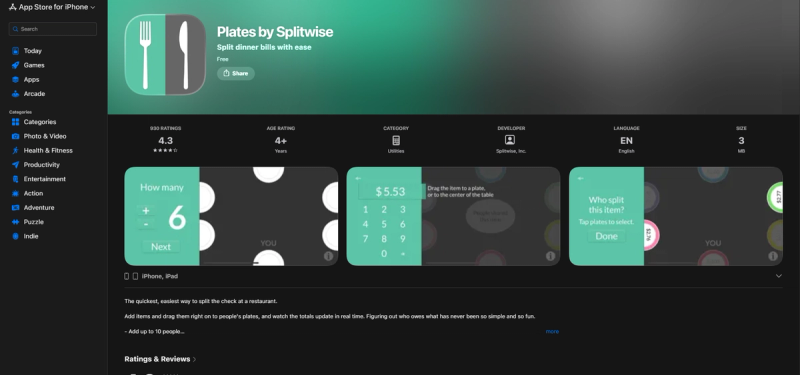
Plates has one simple idea. You drag each dish onto a person's plate, split a shared appetizer across several, and it works out tax and tip with a tip slider.
The split the rest button divides whatever you haven't assigned, which is the fastest way to finish a messy check. You can also stack two plates when one person pays for both.
It caps the table at ten people, and its last update, version 1.4, came out in December 2020. It still runs, though it hasn't been updated since.
Pick it when: you're a small table on iPhone and dragging dishes feels faster than scanning.
The trade-off: there's no receipt scanning, so every item gets typed in, and larger parties don't fit.
6. SplitMyExpenses
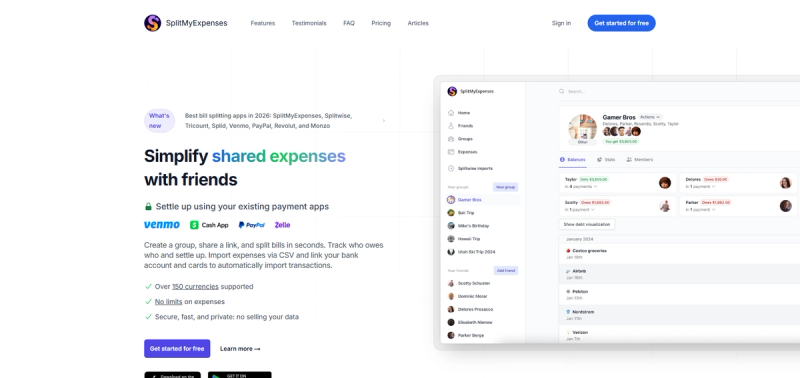
SplitMyExpenses covers the dinner and everything after it. The free tier includes unlimited expenses with no daily cap, running balances, debt simplification, and recurring bills.
Settling runs through Venmo and Cash App in the US, PayPal internationally, and UPI in India. It works on the web and on both phone platforms, which helps at a mixed table.
The AI receipt itemization that makes restaurant checks quick is a Premium feature, with plans from $3 a month. The free tier still splits by percentage, shares, or exact amounts.
Pick it when: friends eat together often and want each dinner to join an ongoing balance.
The trade-off: you pay for the per-item receipt scan, while the free tier covers the rest of the split.
7. Splitwise
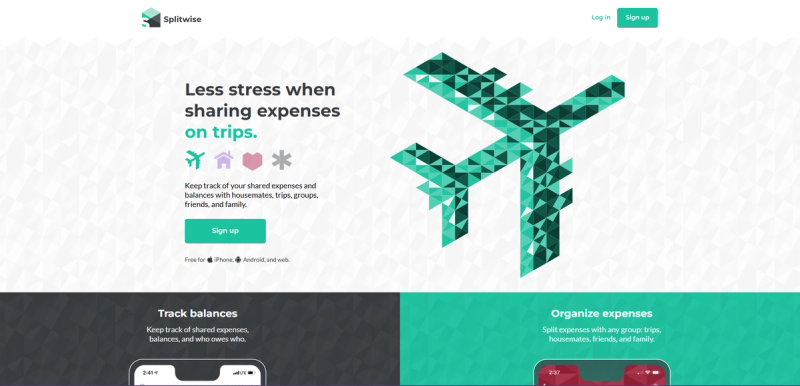
Splitwise is the ledger friends keep between them, and dinner is one line in it. It earns its place when the same people share rent or trips as well as meals.
The free tier allows four expenses a day, which is fine for dinners but tight for a trip. Pro starts at $4.99 a month on the US App Store and adds receipt scanning.
Pick it when: you want one running tab with people you split lots of things with, beyond restaurant checks.
The trade-off: for one itemized dinner it's slower than a dedicated splitter, and scanning costs money.
How to Split a Restaurant Bill With Family
Family dinners rarely split evenly. Somebody's kids ate half a plate each, and the round of drinks was ordered for the whole table.
For one dinner, an itemizer works with a quick manual fix. Assign the shared plates to the adults who wanted them, and leave the kids' meals with whoever brought them.
For the dinner that repeats, a family meal Pool funded a little each month means the check is already covered when the server brings it.
It's the same idea as a Pool for bill splitting, pointed at the table instead of the utilities.
Splitting the Check at a Big Table
With more than eight or nine people, itemizing gets slow. Plates stops at ten, and getting everyone to claim items in one app can take longer than dessert.
Two things help. Ask the server for separate checks before anyone orders, since many restaurants will do it if they're told early.
You can also put one card down for the whole check and send a link-based split afterward, so nobody has to install anything.
You can also play credit card roulette. Everyone puts in a card, the server pulls one at random, and that card pays the whole check. It evens out when orders are similar and swings hard when they aren't. Apps like Roulette Pay fix that by weighting each person's odds by what they ordered. Only play if everyone at the table could cover the whole bill.
For a big table that meets regularly, like a team lunch or a club dinner, one debit card paying right from a funded Pool is the shortest path. There's one payment at the restaurant, and the math happened weeks earlier.
Match the App to the Dinner
| Your dinner | Best pick | Why |
|---|---|---|
| The same dinner every month with the same people | Pool | Everyone funds it in advance and one card pays the whole check |
| Four friends, one dinner, all willing to install an app | Tab | Scan the receipt and each person claims their own items |
| Half the table refuses to download an app | SplitEven | The breakdown opens as a link in any browser |
| Six people, no receipt scan needed | Plates by Splitwise | Dragging dishes onto plates is fast, and the table fits under ten |
| Friends who split things constantly | SplitMyExpenses or Splitwise | The dinner joins a running balance instead of standing alone |
| A big table at a restaurant that allows it | Separate checks | Ask before ordering and skip the app entirely |
| Everyone at the table has an iPhone | Apple Wallet | Scan the receipt, tap your items, and Apple Cash requests go out automatically |
FAQs About Splitting a Restaurant Bill
What Is the Best App to Split a Restaurant Bill?
It depends on whether the meal repeats. We built Pools for dinners with the same people, because everyone funds the Pool in advance and one card covers the check.
For a one-off dinner, Apple Wallet's built-in split works if everyone has an iPhone and Apple Cash. For a mixed table, Tab is the quickest itemizer, and SplitEven works when people won't install an app.
What's the Best App to Split a Restaurant Bill With Friends?
For friends who eat together every month, a Pool lets one card cover the check so nobody splits anything. For a single dinner, Tab works if your friends will install it, and SplitEven works if they won't, since the breakdown opens in a browser.
What's the Best App to Split a Restaurant Bill With Family?
For a standing family dinner, a Pool that everyone tops up covers the check before anyone sits down. For a one-off meal, an itemizer like Tab or SplitEven handles shared plates and kids' meals with a quick manual fix.
Is There a Free App to Split a Restaurant Bill?
Yes. Tab, SplitEven, and Plates are free, Apple Wallet's split is free on iOS 27, and SplitMyExpenses has a free tier with unlimited expenses. Splitwise is free up to four expenses a day, and starting a Pool and using its debit cards costs nothing.
Which App Works for a Large Table?
Plates caps the table at ten people, so for anything bigger, use a link-based app like SplitEven. With more than eight or nine people, asking the restaurant for separate checks before ordering is often faster than any app.
How Do You Split a Bill When Someone Orders a Lot More?
Use an itemized split instead of an even one, and make sure tax and tip follow each person's items. Tab and SplitEven both do this, while an even split quietly charges the light eater for someone else's steak.
Do These Apps Move the Money?
Mostly no. Plates and SplitEven calculate shares, then people pay each other through Venmo, Cash App, or Zelle. Tab and SplitMyExpenses can hand off to Venmo. Apple Wallet sends Apple Cash requests directly, and a Pool pays the restaurant directly because the money is already there.
Is Pool a Bank?
No. Pool is a financial technology company, not a bank. Banking services are provided by First Internet Bank, Member FDIC, and the Pool Visa debit card is issued by First Internet Bank.
Is There an App for Credit Card Roulette?
Yes, but they're niche. Roulette Pay on iPhone picks one card to pay the whole check and weights each person's odds by what they ordered, so it's fair on average. None of the mainstream splitters on this list offer it.
Stop Splitting the Same Dinner Every Month
Splitting one check is a two-minute problem. Splitting the same check twelve times a year is a habit worth replacing.
Create a Pool for the dinners that repeat and invite the regulars. After everyone pays in, whoever gets to the restaurant first covers the check with their card.